The studio whiteboard, and what replaces it
By Ryan Whitten · Updated October 2, 2026
Studios have tracked albums on a whiteboard for decades: songs down one side, parts across the top, each one crossed off as it's done. It works because everyone in the room can see it. It stops working the moment the project leaves the room, and most albums aren't made in one room anymore.
Where the whiteboard came from
In the tape days, every reel traveled with a paper track sheet listing what was recorded on each track. The board on the wall was its big brother: the whole album at a glance. Drums, bass, guitars, vocals, overdubs, each song's row filling up with ticks as the sessions went on. Anyone could walk into the control room and see where the album stood, and what was left before it could be mixed.
It survived the move to computers because it's hard to beat. It's big, it's always on, it needs no login, and crossing something off in front of the band feels good. The spreadsheet that most home recordists use is the same grid in a different medium. How to set one up →
Why it doesn't fit how albums get made now
The project isn't in one room
Drums get tracked at a studio, guitars at the guitarist's place, vocals in a closet with a duvet on the wall, and the mix happens in another city. A board on one wall can only be seen in one of those rooms.
The band is going off a photo
So someone takes a picture of the board and drops it in the group chat. By the evening it's out of date, and by next week there are four photos and nobody's sure which one is current.
It doesn't know about the audio
The board says "Mix: in progress". It can't tell you which mix, play it, or hold the notes everyone has on it. Those live in texts, emails and voice memos, nowhere near the cell they're about.
It can be wiped
One careless sleeve, one session that needed the space, and the state of the project is gone, with no history of what it said yesterday.
What a modern whiteboard needs
- The same board for everyone, wherever they are, on a laptop at the desk or a phone on the train.
- Cells that change as the work gets done, and progress that adds itself up, per phase and for the whole project.
- The mixes next to the board, so "Mix: in progress" is one tap from the mix itself.
- Notes from anyone, pinned to the second, so feedback lands on the song it's about instead of in the group chat.
StudioTrackr's Studio Board
The Studio Board is the whiteboard, made shareable: every song down the side, every step across the top, a color for each status, and a tab per phase from producing to mastering. Invite the band and everyone sees the same board. Editors update the cells, listeners play the mixes and leave notes at the second they heard something, and nobody you invite pays for their own plan.
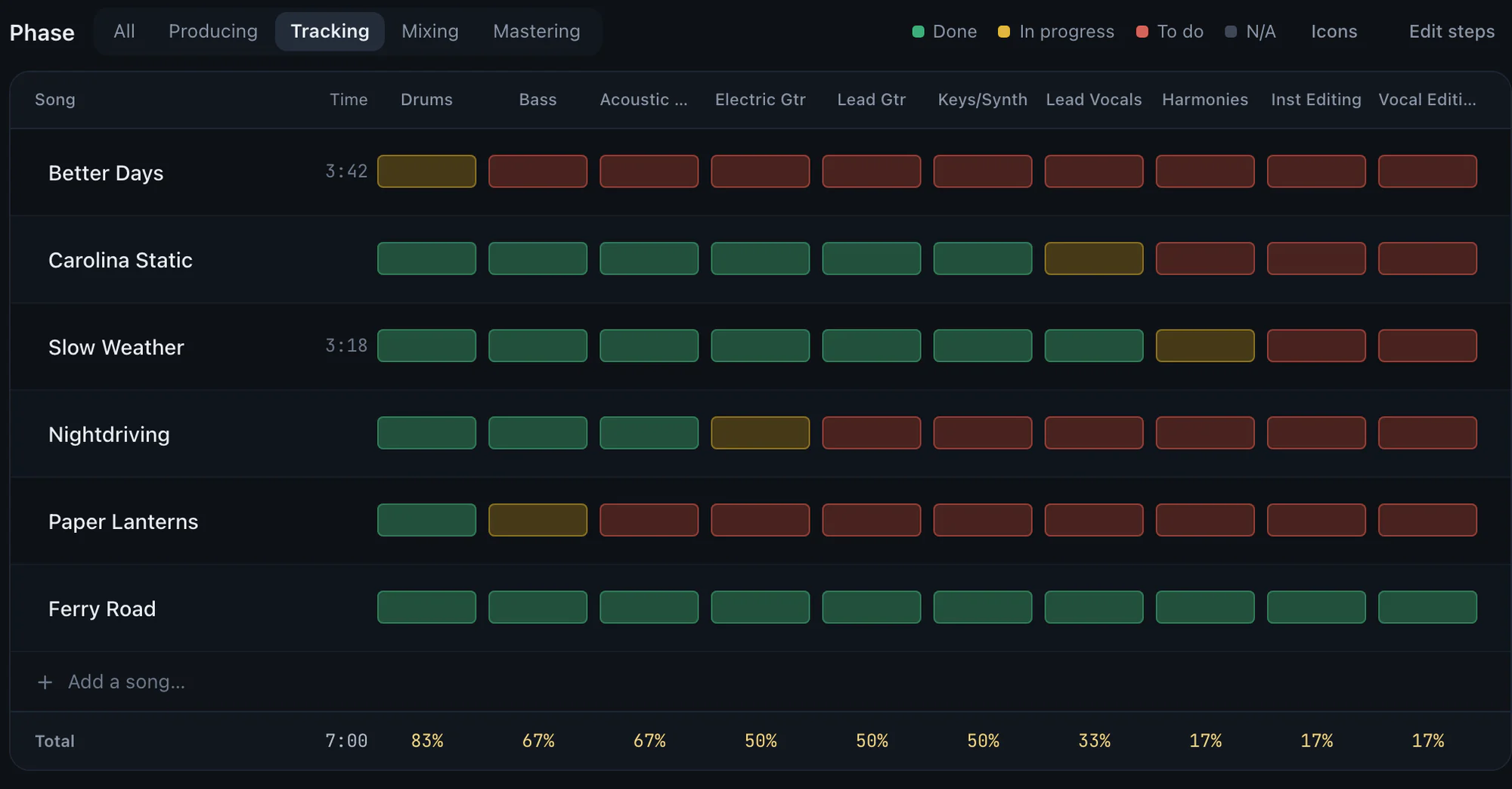
If your band is in one room every day, keep the whiteboard; it's a great tool. If the project is spread across rooms, cities and phones, the board needs to go with it.