How to name and organize your bounces and mix versions
By Ryan Whitten · Updated October 2, 2026
Give every song its own folder, number every bounce, and never use the word "final". That's most of it. The goal is to answer two questions instantly, at any point in the project: which mix of this song is current, and what changed since the last one?
Why "final" is the problem
Every musician has a folder with Better Days mix final.wav, Better Days mix final 2.wav and Better Days FINAL final (use this).wav. "Final" is a prediction, and it's wrong almost every time. Once it's wrong, the filename stops telling you anything.
A naming scheme that works
Use the same pattern for every bounce:
Song Title - v07 - 2026-10-02 - vocal up.wav
- Song title first, so files sort by song wherever they end up.
- A version number with a leading zero, v01 to v99, so v10 sorts after v09.
- The date, year first, so it sorts correctly too.
- Two or three words on what changed. "vocal up", "new bridge", "less reverb". Future you will thank you.
When a mix is approved, don't rename it. Note the version number somewhere that belongs to the song, so the file history stays honest.
One folder per song
Keep a folder for the project with a folder for each song inside it, and bounce straight into the song's folder. Every DAW lets you choose where a bounce goes. A song's whole history is then in one place, in order, and nothing for one song ends up in another's pile.
What to keep and what to delete
- Keep every bounce until the project is released. Disk is cheap, and an old mix is sometimes the one with the vibe you lost.
- Keep the approved mix and the master forever, alongside the session.
- After release, archive the rest with the session files rather than deleting them.
Keep the notes with the version
A note like "vocal delay too long in verse two" only makes sense next to the version it was about. Keep notes per song, and write the version number and time on each one. When you bounce the next version, you'll know which notes it was meant to fix.
How StudioTrackr does this for you
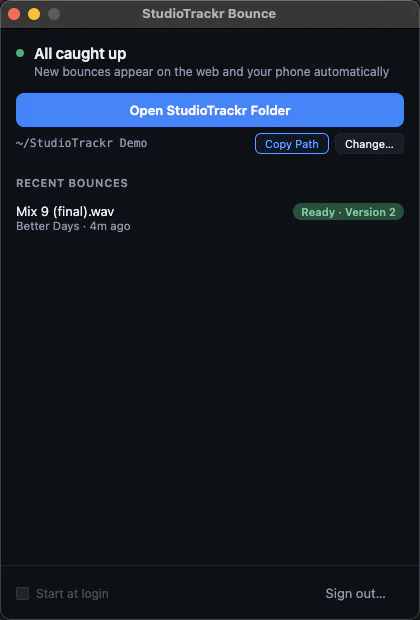
StudioTrackr Bounce for Mac keeps the folder structure for you: a StudioTrackr folder with a folder for every project and every song. Bounce into a song's folder and it becomes that song's next version automatically, numbered, in order, and on your phone. The folder decides the song, so the filename can say anything, and bouncing the same name twice gives you two versions, not one overwritten file. Every note records the version and the second it's about. How the Mac app works →